Account Deletion & Data Removal
At AlertNet, we value your privacy and give you full control over your personal information. You can permanently delete your account and all associated personal data at any time.
1. What Data Will Be Deleted?
When you delete your account, the following information is permanently purged from our Firebase servers:
- Your account profile (Full name, phone number, email address, profile picture).
- Your real-time GPS history and active incident records.
- Your group memberships, geofence permissions, and custom notification settings.
- Your FCM device push tokens.
⚠️ Warning: Account deletion is permanent and cannot be undone.
2. Delete Account Directly From the App (Recommended)
Follow these quick steps within the AlertNet mobile application (iOS & Android):
Go to the main menu or tap on your profile icon in the top corner of the dashboard.
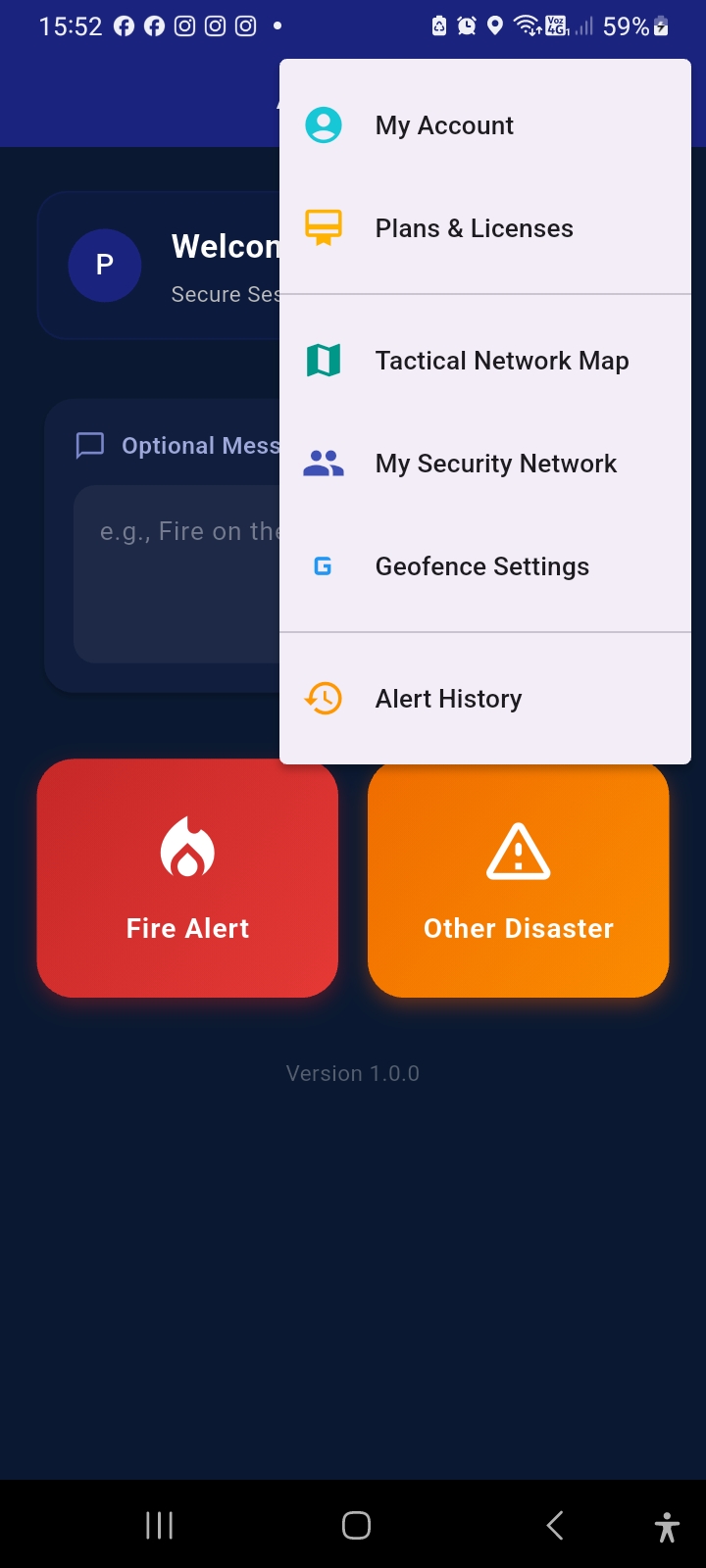
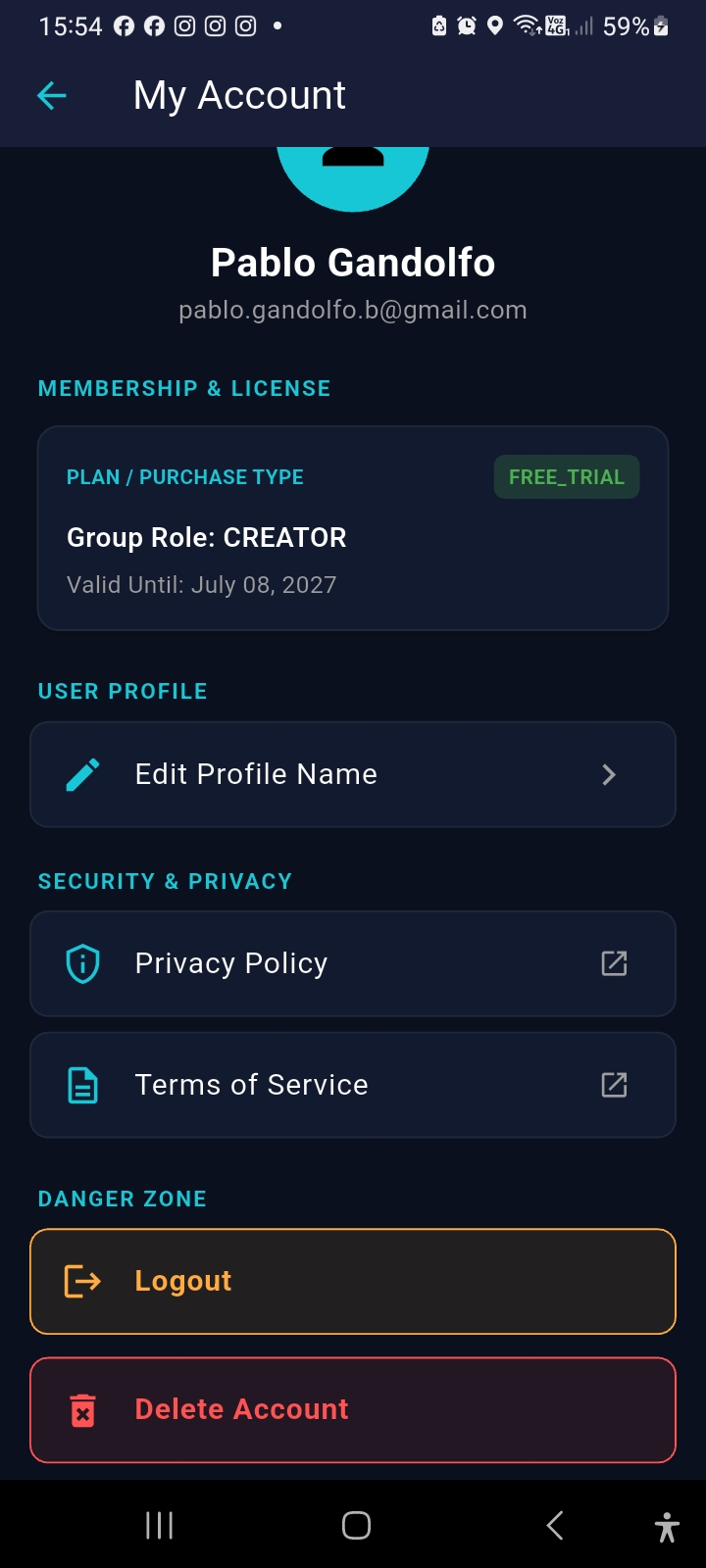
Scroll down to the bottom of the account settings page and tap on the red "Delete My Account" button.
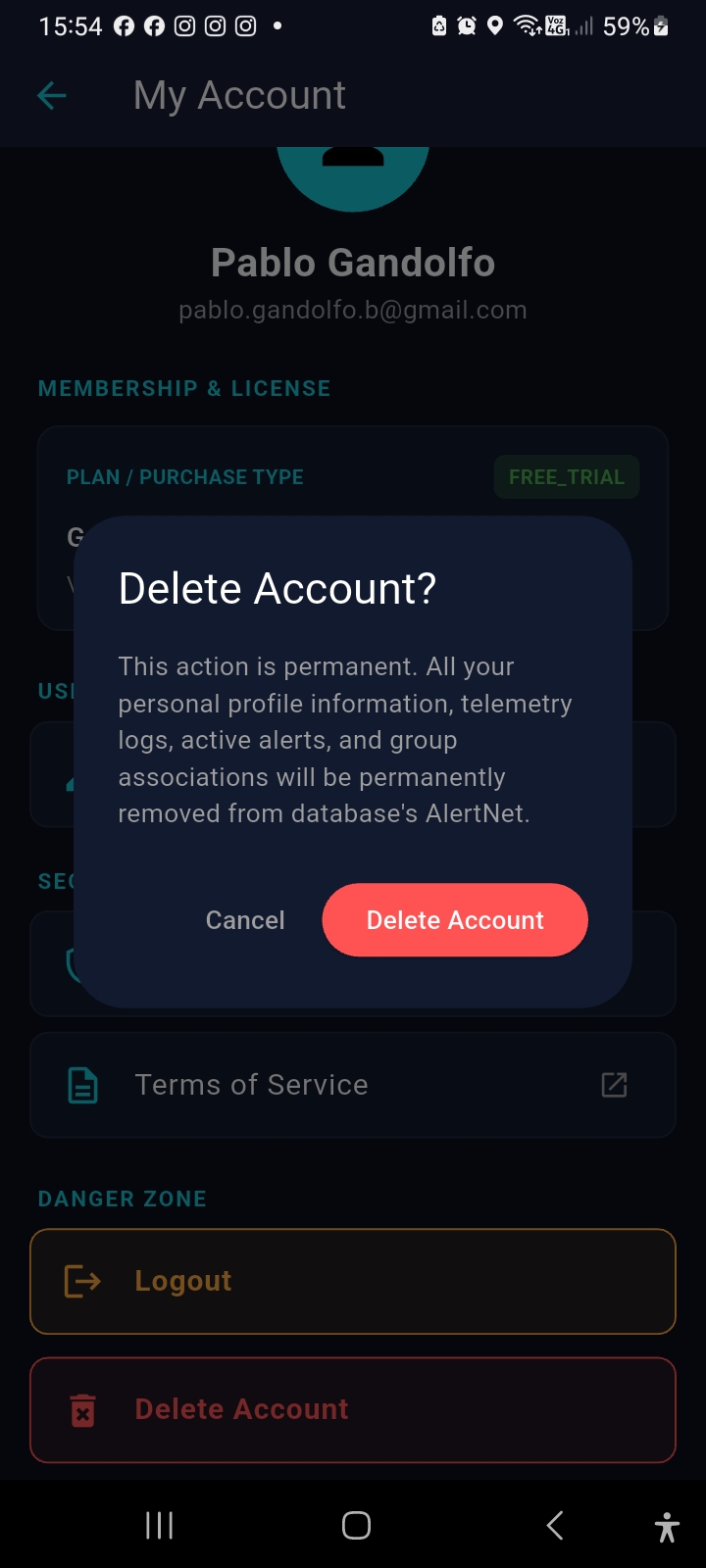
A confirmation modal will appear explaining the permanent nature of this action. Confirm your choice to instantly wipe your profile and log out.
3. Request Account Deletion via Web Form
If you no longer have access to the mobile application, you can submit a manual request below. Our team will verify your ownership and process the deletion within 48 hours.
You can send a direct account deletion request to our support team:
📧 Email Support to Delete Account4. Subscriptions Disclaimer
Deleting your AlertNet account or removing the app from your device does not cancel active paid store subscriptions. To avoid ongoing charges, ensure you cancel any active subscription directly in your App Store or Google Play account settings.
Questions?
If you need assistance, reach out to our privacy team at [email protected].